

Prefer signing inside your product? See Embedded signing instead.
Walkthroughs use cURL. The same calls are in the official SDKs.
Prerequisites
Before you begin:- Create an organization and API key in Settings.
- Upload a template and place at least one signature field — see the Embedded templates walkthrough.
- Call the Formable API from your backend only. Never expose your API key in the browser.
Overview
1
Create a regular signature request
Start a request from a template with one or more signers. Formable emails each signer automatically.
2
Signer completes the document
The signer opens the link from email and fills required fields on Formable.
3
Detect completion and download
Listen for webhooks or poll status, then fetch the signed PDF.
Create a regular signature request
Call this from your backend when you’re ready to send. A regular signature request needs:templateId— which document to sendsigners— who will sign (email+name), in signing order
Response
signatureRequestId. You’ll use it to track progress and download the signed PDF.
Test mode
SettestMode: true while integrating so the request doesn’t count toward billing. Test mode documents are watermarked and are not legally binding.
Signing experience
Signers open the link from their email and complete required fields on Formable. Click Start to begin. Required fields are highlighted so the signer knows where to act.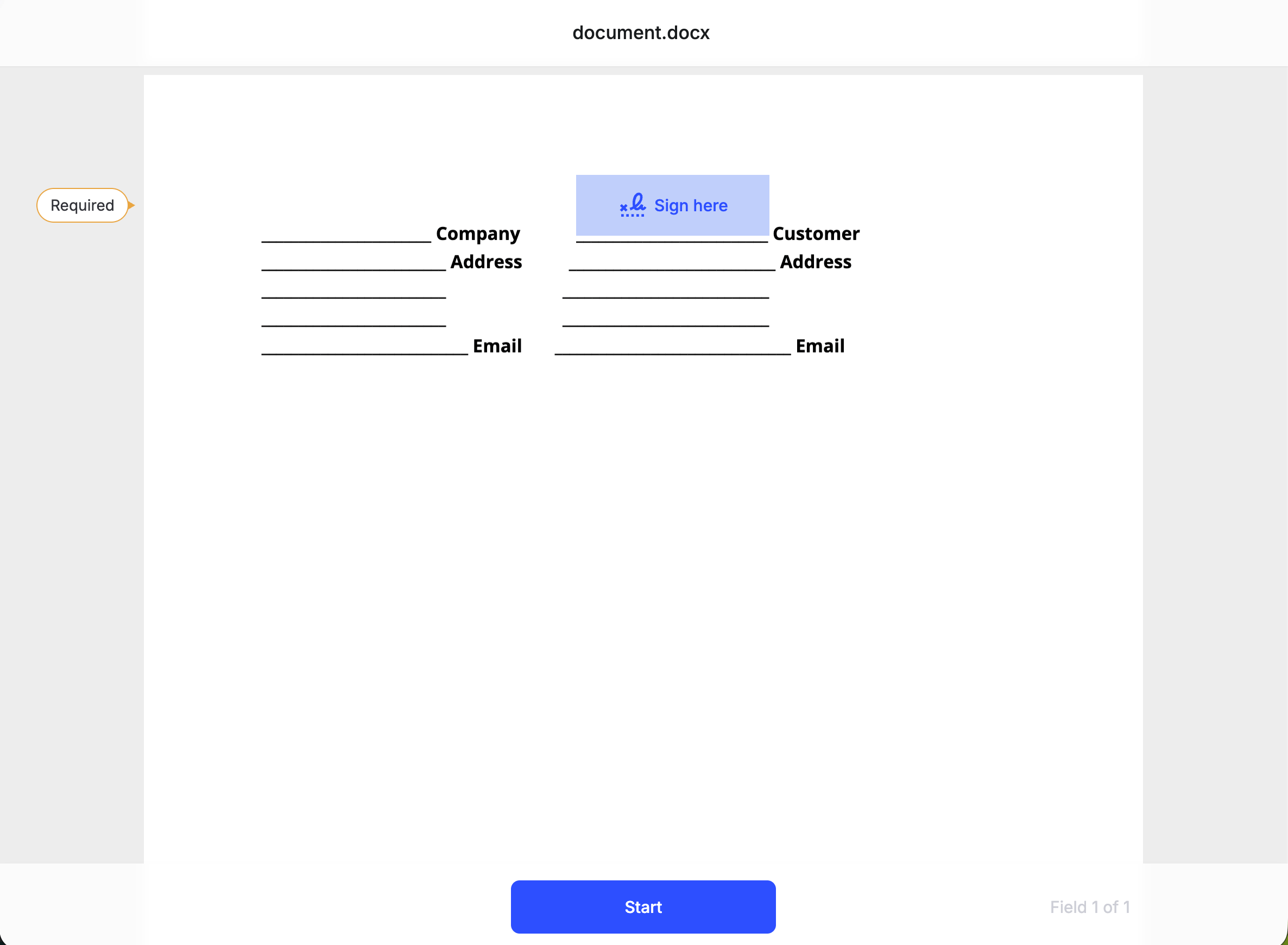
The signing experience with a required Signature field highlighted. Click Start to begin.
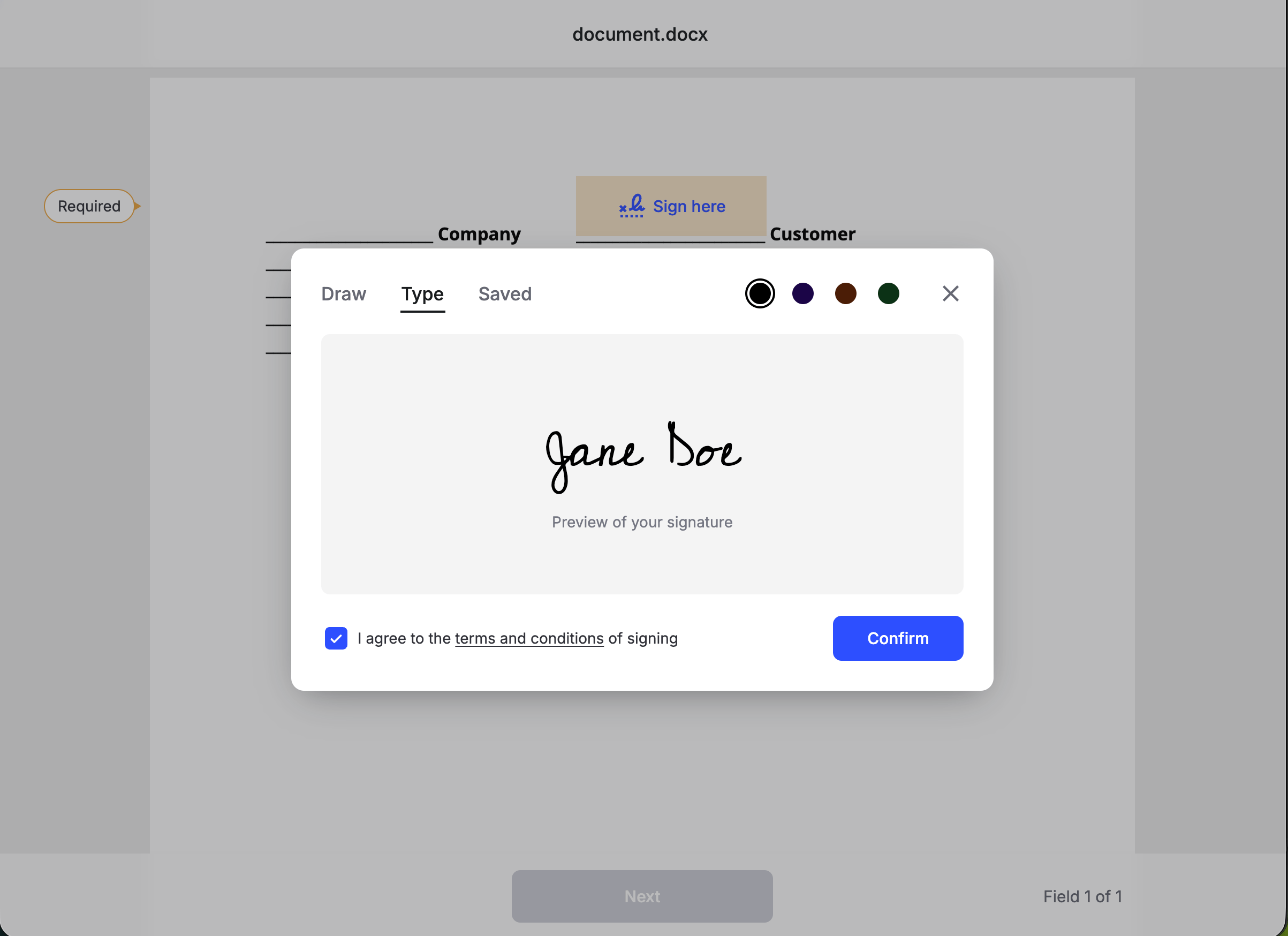
The signature modal with Draw selected. Signers can also type a signature or reuse a saved one.
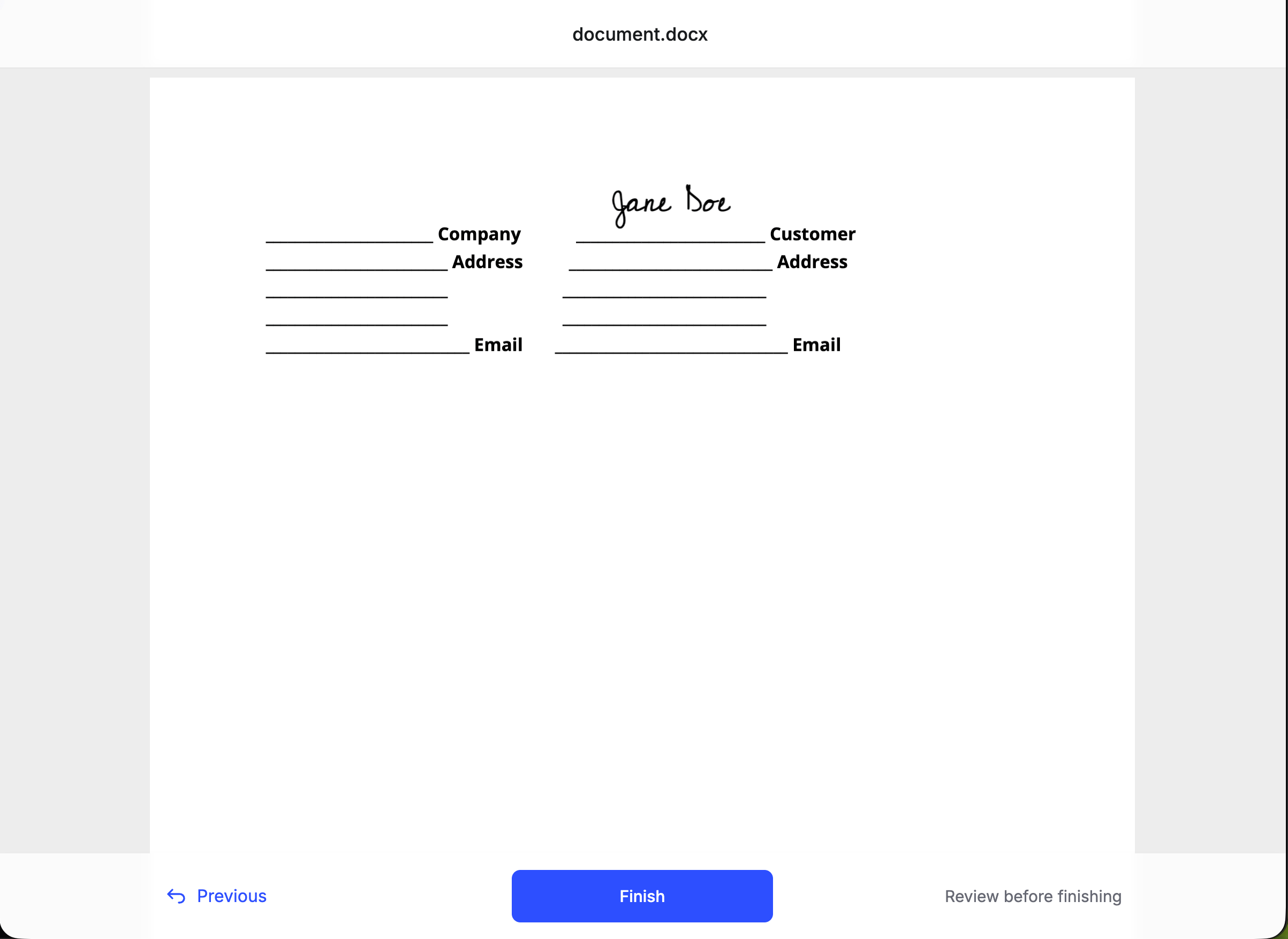
Review step after the signature is placed. Click Finish to complete the request.
Detect completion
When signing finishes, the signature requeststatus becomes Completed. You have three ways to learn that:
Listen for the document_completed webhook
Listen for the document_completed webhook
Configure a webhook endpoint and handle the
document_completed event. Formable pushes this once the signed PDF is ready, so you can download without polling. Do not use document_signed alone — that fires when a signer finishes, before the completed file is available.Poll the signature request status
Poll the signature request status
Fetch the signature request and check
status. It moves from Created to Completed. The response also includes signers (with recipientSignatureId) and envelope fields.Read the event stream
Read the event stream
Fetch signature request events for a chronological history of what happened.
Download the signed PDF
Once status isCompleted, fetch a temporary download URL for the signed PDF (the signed envelope).
Response
Requesting the signed envelope before signing is complete returns
409 with "Envelope has not been signed yet".Embedded vs non-embedded
Next steps
Embedded signing
Embed the signing experience in an iframe inside your product.
Migrate from Dropbox Sign
Map
send / send_with_template to Formable.Webhooks
Get notified when a document is viewed or signed.
Create a regular signature request
Request and response schema for
POST /v1/signature-requests.